|
MiniMRP Backup/Restore |
  Introduction Navigation Inventory Assemblies Customer Orders Purchase Orders Works Orders Contacts Reports Tools |
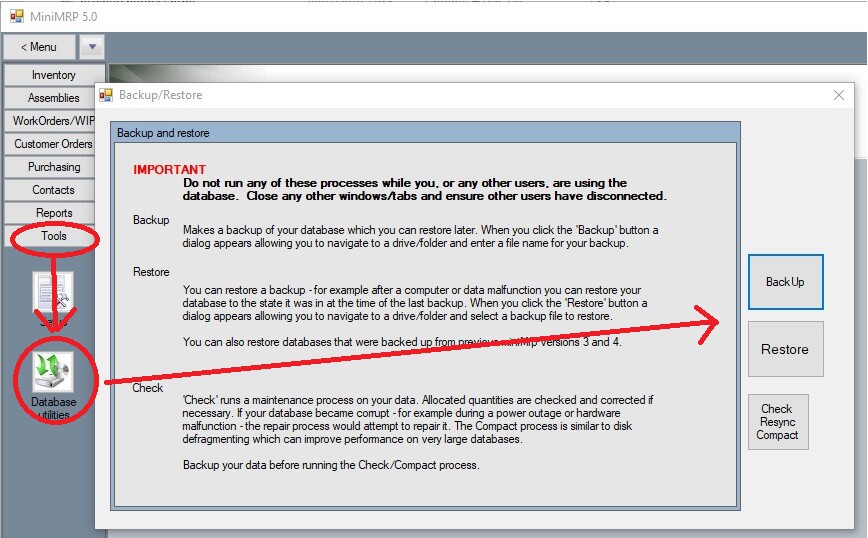
Making a Backup or Migration File.The MiniMRP program has a tools menu to backup or restore a database for the Standard version of MiniMRP or when using the default shared data file (ie not SQL Server) If using MiniMRP Pro with an SQL Server database then your server administrator should use the dedicated backup/restore program in the program /tools/ folder. After launching MiniMRP see the 'Tools, Database Utilities' menu item in the program menu
Note: The Restore function can also be used to import/migrate a database or backup from a previous version of MiniMRP. See the Upgrade pages of this user guide.
|
|
|